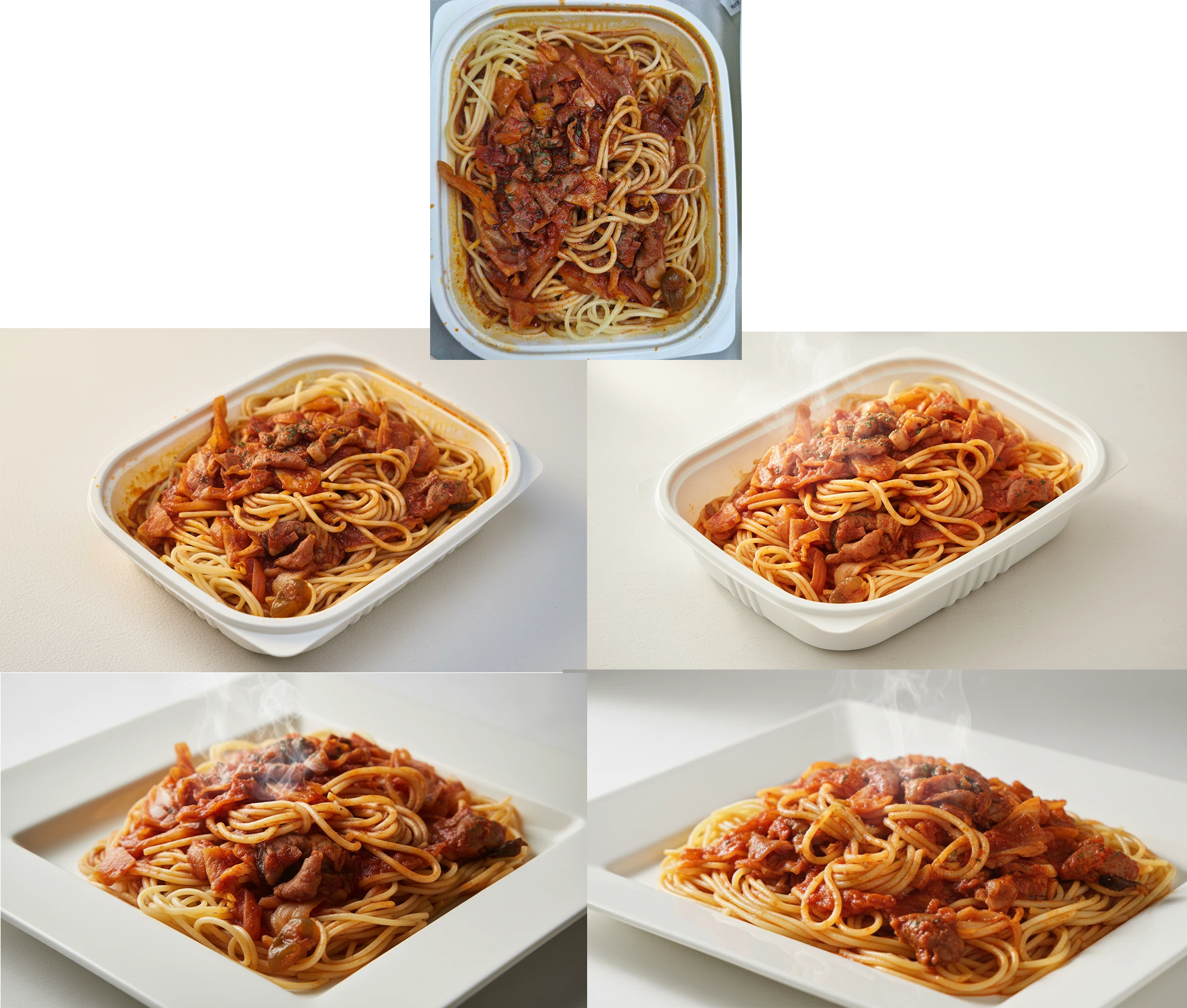
How to Dramatically Transform a 'Convenience Store Pasta' Photo into a 'Premium Advertisement Photo'
Even a typical convenience store pasta photo can be transformed into completely different qualities by adjusting prompts step by step: White studio version, More appetizing upgraded version, Advertisement version arranged on a premium plate. By understanding which prompt elements are enhanced at each stage, even beginners can easily create food advertisement images.
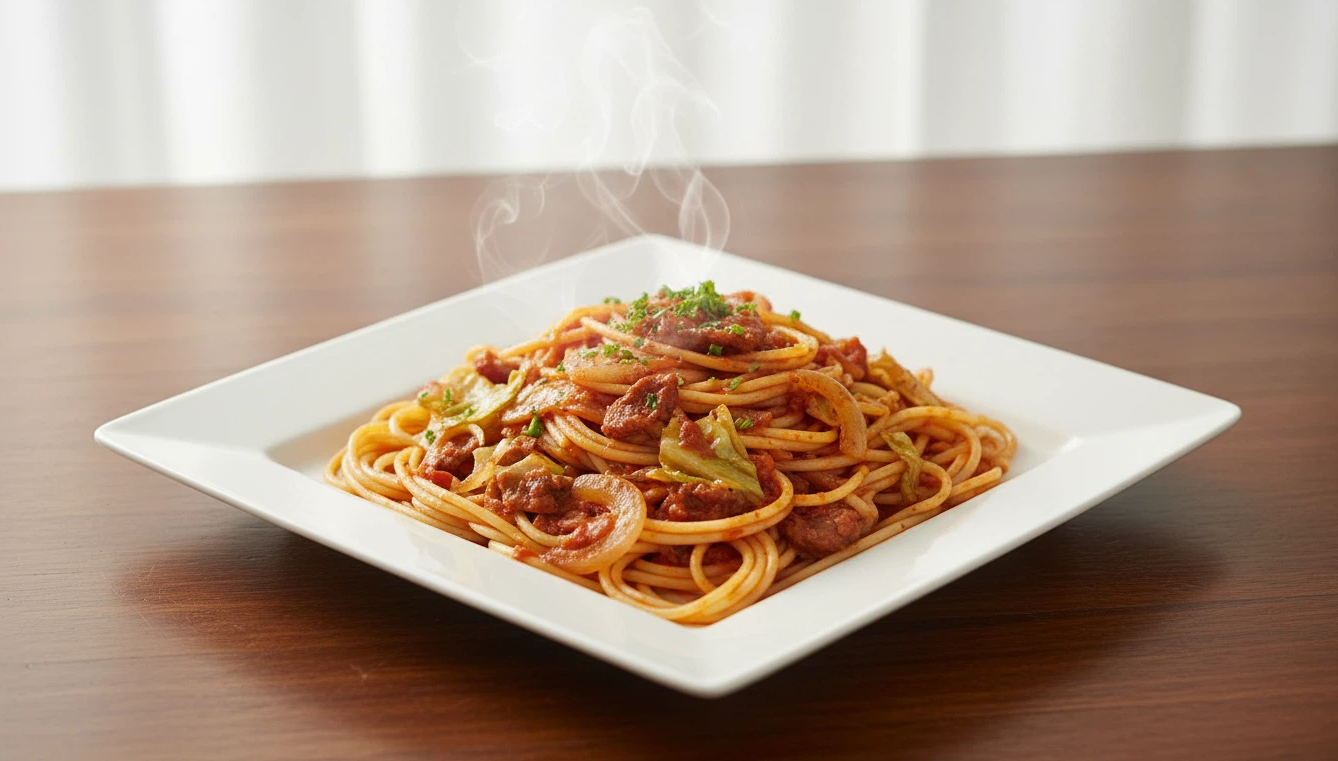
3-Step Dramatic Quality Transformation Process
Step 1 — White Studio Version (Basic Transformation)
This is the stage of moving the roughly taken convenience store pasta directly to a white studio.
Features
The food composition remains unchanged
Only the space is changed to a “clean white studio”
Only photo-like texture and lighting are added
Key Points
The food itself remains the same, so the appearance of deliciousness is not greatly improved
Change is similar to “phone photo → professionally taken shot”
Prompt Elements Used
white studio background
high-end food photography mood
Describe existing food details as is
Emphasize color and texture
Step 2 — 'More Appetizing Upgraded Version' in the Same Space
From this stage, it is the process of improving the cooking state and presentation of the food itself to make it look delicious.
Upgraded Elements
Arrange the noodles neatly
Enhance the gloss of the sauce
Organize colors
Add gentle steam
Correct overall balance
Why Does It Look Delicious?
Steam rising makes it look like “freshly cooked food”
Neatly arranged noodles look like “carefully made dish”
Gloss gives the effect of “restaurant-grade cooking presentation”
Even with the same white studio background, it feels closer to an advertisement photo
Additional Prompt Elements
neatly arranged noodles
glossy sauce
gentle steam
vivid colors
Step 3 — Advertisement Photo Version with 'Premium Plate + Arranged Composition'
The final stage is the process of completely creating a premium image by even replacing the dish.
Dramatic Changes
Existing plastic container → premium rectangular white plate
Noodles and sauce are neatly arranged
The edge of the plate is clean without sauce stains
Toppings are naturally arranged
Enhanced lighting for shooting atmosphere
In this stage, it no longer feels like convenience store pasta but transforms into a “restaurant food styling + advertisement shooting set”.
Prompt Elements Used
clean rectangular white plate
no messy sauce splatters
minimal and luxurious food style
ultra-realistic lighting
premium food photography
Summary of Dramatic Differences by Stage
Step 1 — Only Space Changed
→ Change to a clean studio cut
Step 2 — Food Arrangement + Gloss + Steam
→ Much more appetizing and rich-looking shooting image
Step 3 — Change Plate + Arrange Composition + Premium Lighting
→ Completely premium advertisement photo level
Final Summary
By adjusting prompts step by step, even a roughly taken convenience store pasta can be transformed as follows.
Only Space Changed → Basic studio style image
Food Arrangement + Add Steam → More appetizing upgraded version
Change Plate + Enhance Shooting Presentation → High-quality advertisement image
By understanding this structure, any food can be naturally transformed from an ordinary photo into a premium advertisement image.
Usage ) Work on expressing more delicious food using a prompt with a single food reference
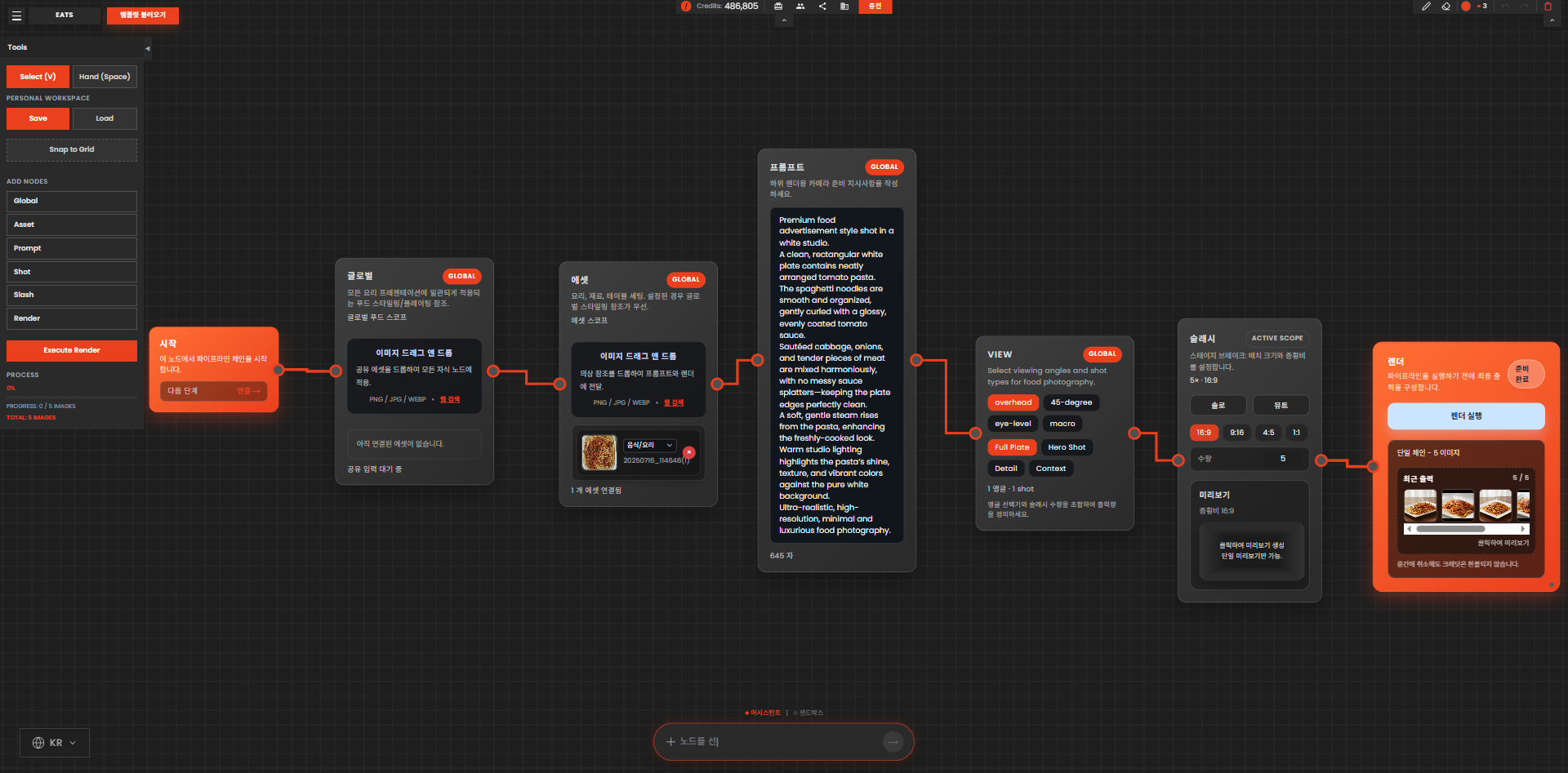
Example Image ) Original and images taken step by step